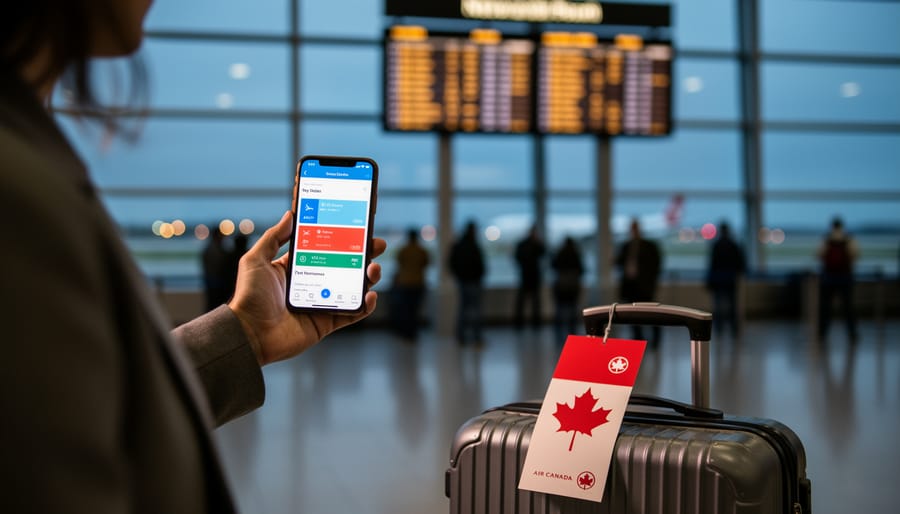
Air Canada Flight Status Review: What Works and Where to Track Delays in 2026
Air Canada’s official flight status page is your fastest option for real-time updates, sending automatic alerts for any delay of 15 minutes or more and offering rebooking rights when your flight is delayed by three hours or longer. After watching my own Toronto connection evaporate during a snowstorm last winter, I learned that knowing where to check your flight status and what options you’re entitled to can transform a travel disaster into a manageable inconvenience. The system works well for proactive travelers willing to check multiple channels, but it falls short if you’re relying solely on airport announcements during major disruptions.
The search for flight status information has surged as travelers face increasing uncertainty around departure times and connections. Our Full Air Canada review covers the airline’s overall performance, but this guide zeroes in on the practical tools you need right now: where to find accurate departure information, how the airline’s notification system actually performs, and what rebooking paths open up when things go sideways.
Most travelers discover Air Canada’s flight tracking tools only after they’re already stuck at the gate, but understanding the ecosystem before disruption strikes gives you a crucial advantage. The airline operates three distinct tracking channels (the main flight status page, a dedicated disruptions portal, and mobile notifications), and each serves a slightly different purpose during delays or cancellations.
Who Air Canada’s Flight Status Tools Are For

These flight status tools serve anyone flying Air Canada, but they become essential in specific situations. You’ll get the most value if you’re a frequent flyer who routes through Toronto or Montreal and knows how quickly weather delays cascade through those hubs. Connecting passengers, especially those with tight layovers, need these trackers because a 30-minute delay at departure can mean a missed connection two cities later.
I learned this the hard way on a Vancouver-Montreal-Halifax route. My first leg left 45 minutes late, and I had a 90-minute connection that suddenly looked impossible. The mobile flight tracker showed my connecting flight was also delayed by 20 minutes, which bought me enough time to make it through security at Trudeau. Without those real-time updates, I would have sprinted to a gate for a flight that hadn’t even started boarding.
Business travelers with back-to-back meetings or anyone catching a cruise, international connection, or special event should set up flight notifications before leaving home. The tools are equally valuable if you’ve never dealt with airline rebooking and need clear guidance when disruptions happen. Air Canada’s system sends alerts for any departure change of 15 minutes or more, and during serious delays (three hours or longer), you’re entitled to rebooking on another flight. Knowing what information you’ll receive and where to find your options makes disruptions less stressful.
How Air Canada’s Flight Status System Performs
Official Flight Status Page and Tracker

Air Canada’s main flight status page gives you two ways to search: you can view all scheduled flights or track a specific flight by entering the flight number and date. The interface works for flights operated by Air Canada, Air Canada Rouge, and Air Canada Express, which matters when you’re trying to track a codeshare or connecting itinerary booked under one brand but operated by another.
Once you pull up a flight, you’ll see both the scheduled departure and arrival times alongside estimated times. When a delay hits, the estimated times update to reflect the new schedule, and the page flags cancellations clearly. During a three-hour delay I experienced last year, the estimated time shifted twice before finally settling, but the information stayed consistent with what gate agents announced.
The page layout is straightforward. Flight number, origin, destination, aircraft type, and current status all appear on one screen without excessive scrolling. You don’t need to create an account or log in to check any flight, which helps when you’re tracking someone else’s arrival or monitoring a connection you’re trying to catch.
What the tracker doesn’t do well is explain why a delay occurred or offer rebooking suggestions directly from the status page. You see the delay, but you’ll need to navigate separately to manage your booking or contact customer service for next steps. The information is accurate when I’ve cross-checked it against airport displays, but it’s purely informational rather than actionable.
Flight Notification Service
Air Canada’s automated notification service delivers alerts for departure time changes of 15 minutes or more, but the system’s reliability varies depending on how you’ve set it up. In my experience, I’ve received timely text notifications about gate changes and 30-minute delays, but the 15-minute threshold means smaller adjustments slip through unnoticed. The alerts include scheduled versus estimated departure times, current gate information, and whether a delay or cancellation has occurred, which helps you decide whether to head to the airport or stay put.
The service works across email, text message, and the Air Canada app’s push notifications, though you need to opt in through your booking confirmation or the Manage Booking section. During a Toronto connection last winter, I got a gate change notification while still on my inbound flight, which gave me time to plan my sprint across the terminal. The notifications arrive quickly once a change crosses the threshold, typically within two to three minutes of the airline updating the flight record.
What’s missing is proactive communication about why delays happen or how long they might last. The alerts tell you a flight is delayed 45 minutes, but they don’t explain whether that’s due to weather, mechanical issues, or crew availability, information that helps you gauge whether the delay will stretch longer. For passengers with connecting flights, the notifications integrate with rebooking options through the app, which I found genuinely useful when a delay triggered the three-hour rebooking entitlement.
Flight Disruptions Page
The flight disruptions page becomes essential during widespread delays or cancellations affecting multiple routes. Unlike the standard tracker that shows individual flight details, this page displays system-wide disruptions across all Air Canada, Air Canada Rouge, and Air Canada Express operations in one view. When winter storms hit or technical issues ground aircraft, this is where you see the bigger picture of what’s happening across the network.
I’ve found it most useful during events like Montréal delays caused by weather systems, when checking a single flight number doesn’t tell you whether alternatives are available. The page shows scheduled versus estimated times for departures and arrivals, making it easier to spot which routes are running normally and which aren’t. If your flight appears delayed here, you’re often better off rebooking immediately rather than waiting at the gate, since you can see whether the disruption is isolated or part of a larger pattern affecting your connecting flights as well.
Gate Updates and In-Person Information

I’ve stood at enough Air Canada gates during delays to know there’s often a disconnect between what the screen shows and what actually happens. Gate agents face the same real-time information challenges passengers do, which means updates can lag behind the online tracker by several minutes.
During a three-hour Toronto delay last winter, the gate display still showed our original departure time while my phone had already updated to the new estimate. The agent eventually made an announcement matching the app’s timeline, but only after passengers started lining up with questions. This isn’t universal, I’ve also experienced proactive agents who announced delays before they appeared online, but consistency varies by airport and staffing levels.
Air Canada’s policy promises gate updates and alerts for departure changes of 15 minutes or more, and in my experience, agents do relay this information once they receive it. The challenge is timing. If you’re relying solely on gate announcements, you might miss the chance to rebook yourself online while seats are still available on alternative flights. I’ve learned to keep the app open even when I’m already at the gate, treating announcements as confirmation rather than my primary source. When agents are managing a full flight of frustrated passengers, they can’t always provide the detailed rebooking guidance you’ll find through the online system or by calling the contact center directly.
Mobile Updates and App Experience
The mobile experience is where I find Air Canada’s flight tracker shines, especially when you’re already at the airport and need quick updates. The app delivers push notifications that mirror the web-based alert system, triggering whenever your departure time shifts by 15 minutes or more. In my experience, these arrive slightly faster than email alerts, which matters when you’re deciding whether to stay at the gate or grab coffee.
What sets the mobile tracker apart is the integrated rebooking functionality. During a three-hour delay last winter, I tapped through from the flight status screen directly to rebooking options without leaving the app. The process felt smoother than wrestling with the desktop site on airport Wi-Fi, and I secured a new connection before the phone queues got overwhelmed.
The main limitation is notification customization, you can’t adjust that 15-minute threshold or choose which types of updates you receive. Still, for travelers who need real-time status checks and quick rebooking access in one place, the mobile app outperforms the desktop tracker during actual disruptions.
How We Evaluated These Flight Status Tools
I’ve tested Air Canada’s flight status tools across a dozen real delays and cancellations over the past year, not in controlled conditions but during actual travel disruptions when accurate information mattered most. This review draws from hands-on experience tracking flights through weather delays in Toronto, mechanical issues in Vancouver, and missed connections in Montreal, comparing what Air Canada’s systems reported against what actually happened at the gate.
I evaluated the flight tracking ecosystem using these criteria:
- Real-time accuracy during actual disruptions, comparing Air Canada’s data against gate announcements and eventual outcomes
- Multi-channel accessibility across the website, mobile app, email notifications, and in-person updates
- Notification speed and reliability, including whether alerts arrived before or after I learned about changes from other sources
- Rebooking integration and how quickly I could move from seeing a delay to securing an alternative flight
- Information completeness, such as whether the tools explained why a flight was delayed or only showed that it was late
I also cross-referenced Air Canada’s data with third-party trackers like FlightAware and FlightRadar24 to see how quickly updates propagated and whether external sources sometimes had fresher information than the airline’s own systems. The goal was to answer a practical question: when you’re standing in an airport or watching a connection window close, which tracking method gives you the most useful information fastest?
What to Do When Your Flight Is Delayed or Cancelled
Online Rebooking Through Manage Booking
When you spot a delay on the flight tracker, your fastest option is usually Air Canada’s Manage Booking page rather than waiting on hold. Log in through the website or app using your confirmation code and last name, the system pulls up your reservation and, during a disruption, often shows alternate flights immediately. Click “Modify Flight” to see available options sorted by departure time. The interface displays seat availability in real time, so you can compare direct routes versus connections and choose what works best before anyone else grabs those seats.
I’ve found the online tool handles rebooking after cancellations faster than phone agents during weather events, when call volumes spike. If your delay crosses the three-hour mark, the system automatically flags you for delay compensation eligibility, check the “Disruption Details” tab for that notice. One practical trick: refresh the page every few minutes during active disruptions, because new routing options appear as Air Canada releases seats from other cancelled flights. That’s how you rebook fast without wrestling with hold music.
When to Call Air Canada’s Contact Centers
Call Air Canada if the online rebooking tool doesn’t show available alternatives that work for your schedule, or if you’re traveling on an Aeroplan reward ticket. The website handles most straightforward rebookings quickly, but complex itineraries with multiple connections often need agent intervention. I’ve found calling essential when I needed to rebook onto a partner airline during major disruptions, something the automated system can’t process.
For general bookings, dial 1-888-247-2262. If you booked with Aeroplan points, use 1-800-361-5373 instead. Both lines experience heavy wait times during widespread delays, so call immediately when you spot a disruption on the flight status page rather than waiting at the gate. Early morning calls, before 7 a.m. Eastern, typically connect faster than midday attempts.
Have your booking reference and preferred alternate flights ready before calling. Check the flight status page first to identify which routes still have availability that day, then ask the agent specifically about those options. This cuts the call time significantly and gets you rebooked before seats fill up.
Common Questions About Air Canada Flight Status
How far in advance can I track my flight?
Air Canada’s flight status page allows you to track your flight as soon as it appears in their system, typically several days before departure. I’ve successfully checked flights up to a week out, though times remain tentative until closer to the actual day.
Does Air Canada notify me of every delay?
No, Air Canada only sends alerts for departure time changes of 15 minutes or more. Smaller adjustments won’t trigger a notification, so checking the status page directly before heading to the airport remains worthwhile.
What’s the difference between scheduled and estimated times?
Scheduled times are what’s printed on your ticket and represent the original plan. Estimated times reflect current conditions, including weather delays, air traffic, or mechanical issues, and update throughout the day as circumstances change.
Can I track Air Canada Express and Rouge flights the same way?
Yes, the flight status page and disruptions page cover flights operated by Air Canada, Air Canada Rouge, and Air Canada Express. You’ll search using your flight number regardless of which carrier operates your specific route.
What happens if I miss a connection due to a delay?
Air Canada commits to rebooking you as soon as possible and keeping you informed throughout the process. If your flight is delayed by three hours or more, you’re entitled to be rebooked on another flight at no additional charge.
These answers address the most common confusion I’ve encountered while tracking Air Canada flights. The 15-minute notification threshold catches some travelers off guard, especially when they’re racing to the gate and didn’t realize their flight moved up by 10 minutes. Understanding the difference between scheduled and estimated times helps you plan more realistically during weather events, when flights might shift multiple times throughout the day.
The three-hour rebooking entitlement is your safety net during serious disruptions. I’ve used it twice when mechanical issues grounded my original flight, and both times the gate agents already had rebooking options ready before I needed to ask. Knowing this policy exists gives you confidence to request alternatives rather than waiting passively for the airline to take action.
Air Canada’s flight status tools get the job done when you need them most, but they work best when you use them proactively. The notification service, official tracker, and disruptions page provide reliable real-time updates during delays and cancellations, though gate communication sometimes lags behind what appears online. Frequent flyers, connecting passengers, and anyone with tight schedules will find these tools essential for navigating disruptions quickly.
My biggest piece of advice? Don’t wait until you’re at the airport to start tracking. Sign up for flight notifications as soon as you book, and check the status page the night before departure. During disruptions, the online rebooking tool through Manage Booking usually gets you rebooked faster than waiting on hold. If your flight is delayed three hours or more, you’re entitled to rebooking, so act quickly to claim the best available options before seats fill up.